Hi,
I’m trying to download the a report by the id, I’m using the /v1/reports/{id}/download endpoint, but unfortunately I’m hitting
{
"error": {
"http_code": 403,
"message": "Access denied"
}
}
Instead.
The actual report has the ticket Share API Access, which I guess shouldn’t even do anything since from what I understood, is linked to the old api.
What am I missing ?
Thank you.
Hi @renancidale ,
works fine for me with this Path: xxx.xentral.biz/api/v1/reports/1/download
best
Daniel
Hi @Daniel_Schmidtchen
Thanks for your reply,
And how do you make the request ?
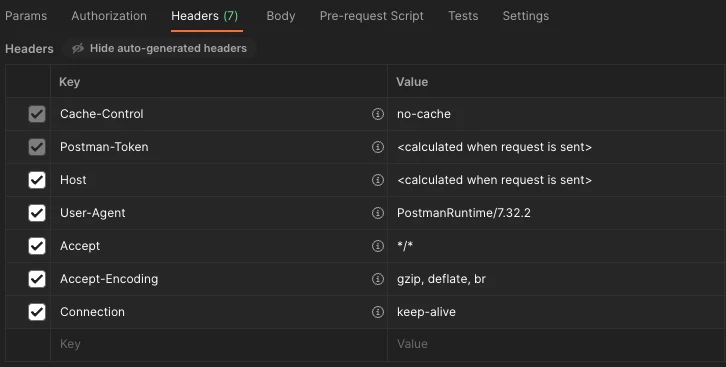
Which headers do you use ?
Do you do Digest ? or do you use Bearer token ?
Regarding the Authorization, if using the Digest, username/password would come from the API Account setup ?
I have currently tried with the new path, and it went from 403 to 401 
Best,
Renan
Yes, for testing via Postman, using digest, no special header, with username/passwort from API account settings.
Hey @renancidale,
as Daniel stated, there is no special Header or anything else required.
curl --location 'https://YOUR-URL.xentral.biz/api/v1/reports/{REPORT-ID}/download'
Hi @renancidale,
seems, like you’re lacking user right, is that possible?
„message“: „Access denied“
Try activating the right “view_report” (see image below). You’ll find this setting in the API-Accounts, that’s where you set username and Password for the REST-API.

Cheers
Jörn
It was a mix of issues 
First the url was wrong.
Second when doing the digest auth, I was not using the correct username and password.
All good now,
Thank you